Overview
A new prompt has been added to the Agent Widget to help ensure audio notifications work as expected.
What Changed?
Previously, audio notifications would only activate after an agent connected with a customer. This could prevent notification sounds from playing if browser audio permissions had not been granted.
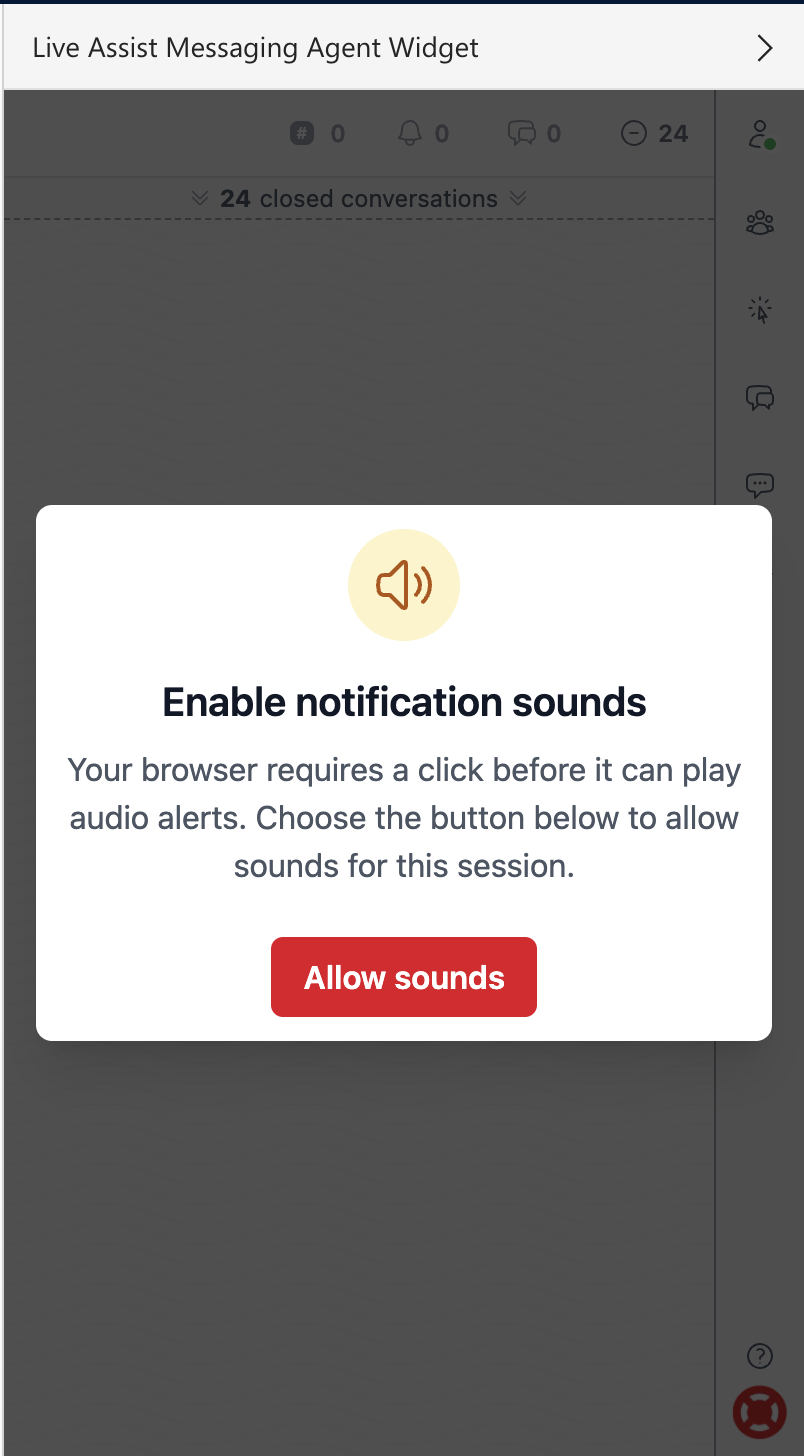
To address this, a new prompt will appear in the Agent Widget when audio notifications are enabled in the user’s settings.
When Does This Appear?
- The prompt only appears if Audio Notifications are enabled in the user’s personal settings.
- This is a user-specific setting and is not configured at an organization-level.
- Once enabled, the prompt is displayed whenever the Agent Widget initiates a new login session.
What Should Agents Do?
When the Enable notification sound prompt appears, click Allow sounds to grant the widget permission to play audio notifications.
This ensures notification sounds are available immediately and can be heard when there’s a new message request or reply.
Notes
- If Audio Notifications are disabled in the user’s settings, the prompt will not be displayed.
- After the agent initially logs in and grants audio notification permission, no prompt will appear. However, when the widget reloads and automatically logs in again, the browser may prompt the user to allow sounds to ensure audio permissions remain active.